Writing is a huge part of the job description for most creative people, especially writers and bloggers. We create anything from short social media updates to blog posts, from long-form articles to ebooks and novels.
Whatever you are writing, it needs editing. It is easy to overlook mistakes when typing, and it’s much more productive to get that first draft down without the burden of looking for errors.
And while editing shorter pieces is less complicated, what’s a writer got to do when she has to edit pages upon pages?
It makes sense to hire a professional when you are creating longer content such as a book, but you can’t always afford one. And it doesn’t always save time to be edited by someone else.
You have to go through sample edits to see if the editor is right for your project. Then you will need time for them to complete the project, and the faster you need it done, the higher the editor is likely to charge. Afterward, you will need to go over the suggested edits, make the changes, and will probably send it over to the editor for one last look – and this is assuming all goes well. Finally, you’ll need to do the last round of corrections, or accept or reject the changes offered.
So when you are short of time and cash, you will need to edit yourself. The good news is, as long as you have a strong grasp of the language and the format you are writing in, it’s no insurmountable task.
Here are 7 practical methods to guide you through the process:
- Turn on your spell check after your draft is finished.
While your word processor’s built-in spellchecker won’t catch all the mistakes, it will make for a good start.
- Use a professional grammar tool.
I use Grammarly Premium (aff. link), and I love it. While I’m totally bored of seeing their advertisements everywhere, they deserve revenue. It costs about $20/month, and it is worth it if you write a lot. You can read my detailed review here.
Now, Grammarly is not human, and it’s not perfect. It doesn’t understand certain nuances or that you broke specific rules for better flow. Still, it catches mistakes your spellchecker doesn’t, and it also analyzes things like repetition, wordiness, and plagiarism. The pro version doesn’t just make suggestions but also tells you why those changes are required.
You will still need to go over every suggestion carefully and probably agree with about half, but it is one investment that pays for itself over and over.
If you are working on a project that has many pages, I recommend dividing it into parts and not trying to correct everything at once.
- Transform your file into a PDF document
When the format of the file you are looking at changes, it is almost like getting a fresh set of eyes. You can notice mistakes you haven’t caught before.
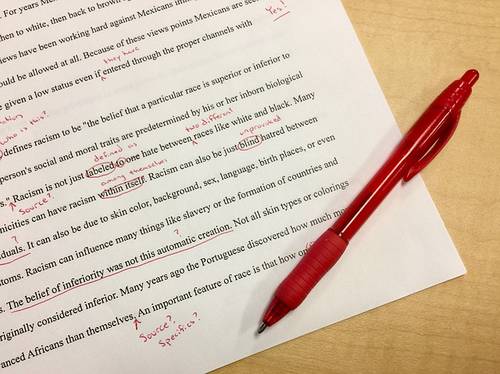
- Print out your document, and pick a pen.
Staring at your computer screen will work only for so long. Your eyes and brain will tire at some point. So print everything out. If you don’t own a printer, have it printed out at a nearby copy shop.
Take the printed pages, and mark your mistakes with a pen.
- Ask for a friend to read
If you are a writer, chances are you have other writer friends who also have excellent language skills. Editing someone else’s work is actually easier because you are more objective, and you don’t have the words memorized in your head. Sometimes it is inevitable to read a word or a sentence not as is but how you meant to write it.
However, because editing takes a lot of effort, you should be able to offer your friend something in return. Maybe you can take them out to a fancy dinner somewhere. Or perhaps you can edit something of theirs that is about the same length.
And be gracious and thank your friend.
- Hire someone who is looking to build a portfolio and is willing to work at a reduced rate.
Everyone wants to charge a fair amount for their work that commensurates with their skills. However, an editor can be highly skilled and professional, yet lack the portfolio samples to command higher rates. This method can give you the chance to work with a professional without breaking the bank. You should still ask for a sample edit before agreeing on anything, and you’ll probably be requested to provide a testimonial for them after the work is done. A small price to pay to get professional services at a discounted rate.
You can inquire about it in related Facebook groups.
- Use a service, app or function that reads things out loud for you.
It always helps to hear what you write. It gives you a different perspective, and it can even make the writing tighter and more engaging. I use the free version of Natural Readers.com, a website that reads documents out loud. My Mac also has a similar function.
8. Use a reference book.
I own and refer to Be Your Own Editor (aff.link) by Sigrid MacDonald when I need to go over the steps.
*
Frankly, I use seven of the eight methods listed (except hiring a professional editor) to get the best result.
I published a novel, and a friend who is exceptionally skilled at catching mistakes did it for free. To thank her, I read stuff of hers whenever she needs me to, and I thanked her in my acknowledgments section of my novel. But to avoid giving her an error-laden nightmare, I edited the book myself meticulously using the other five methods.
The bigger your project, the more methods you will need to use to ensure a professional work with as few mistakes as possible. A rogue comma here and a redundant space there won’t turn off readers or make them think any less of you.
You’ve most likely caught some mistakes even in bestselling novels published by big publishing houses and edited by some of the best editors in the business. Your goal is to make it as close to perfect as humanly possible.
And worst-case scenario, if there are corrections to be made and you’ve self-published, you can revise and rerelease your work.
So don’t worry if you can’t hire an A-list editor right now. Pay attention, use a printer and the Internet, and forgo 20 bucks a month. You’ve got this.

Terrific article, Pinar. I’d also recommend PerfectIt software. It finds inconsistent use of digits and words spelled as numbers or writing “OK” once and “okay” another time. Money well spent and unlike Grammarly (which I adore and use regularly), PerfectIt is a one-time buy, not a subscription. It can also differentiate between US spelling and Canadian or UK. Great program.
Thanks for the comment! I’ll definitely check it out. 🙂 I like Grammarly because it prevents “writer eyes”. 😀
Absolutely, Pinar! I agree. Grammarly makes so many excellent recommendations in terms of repetitive words, unclear antecedents, basic spelling and grammar, reflexive pronouns, empty words like “really” or “very,” and even politically correct speech. I noticed that Microsoft Word will do the same with political correctness now if you choose the most advanced level of spell checking. There are choices in Word that people don’t know about because they often use the automatic setting. Don’t use the default on the spellchecker. Go into the properties tab and choose a more comprehensive spell check with grammar. But PerfectIt is a complementary tool to Grammarly; they work well separately or together. One does not take the place of the other.