Addicted to Writing

Manage Your Freelance Writing Career While Writing What You Love

  • About Pinar Tarhan
  • Blog
  • Books
  • Hire Me: Services
  • Contact Me
  • Portfolio
  • Favorite Resources
  • Newsletter

How to Save Your Work and Sanity: A Definitive Guide for Writers

Posted on October 25, 2019 Written by Pinar Tarhan

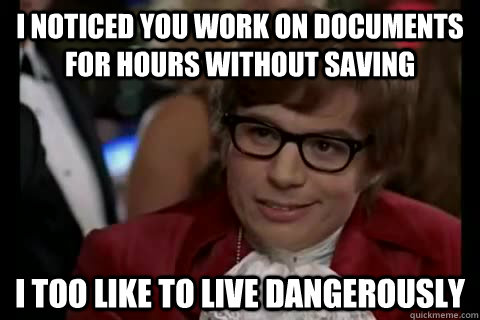
Not me. I play it safe with my documents. 🙂


There is a fun meme on the Internet. I don’t remember the exact wording, but it goes something like this:

“I lost a couple of pages in 1998. Now I push the save button every three seconds.”

This is me. I’ve been using the computer since 94 from the age of 10. After computers became household items, teachers didn’t care for our handwriting in middle school. So we had to type. Which is great, since I tend to write like a doctor when I do it fast. But I have lost some of my work.

So when I was writing my How to Write an Amazing Romance Novel book (Amazon affiliate link), I included an entire chapter on saving your work.

My advice stands no matter the length or type of writing work you are working on. You can pick one, but I’d rather you used multiple tools. Most of them are free, and backing up in more than one space increases the odds of never losing another word again.

  1. Click on the save button whenever you remember, even though it does it automatically.
Regardless of how caught up you are in your project, remember to save as much as you can. You never know when your program will have an error, and you’ll lose anywhere from a few sentences to entire pages.

  1. Dropbox

Dropbox is free to use once you create an account, but make sure you jot down which email address you use in case you lose your password.

Free-to-use services can change terms and storage limits, so don’t make this your only back-up.

  1. Google Drive

Currently, Google Drive for personal use gives me 15 GB for free.

  1. Email

What I said for Dropbox also goes for email services and Google Drive. You never know when your beloved email service might charge you, so this shouldn’t be your only backup.

That said, I always email my documents to myself. This has them stored in two different places (the sent and received inboxes), and they hardly take up any storage space.

  1. Print copy

I love the environment, and I love trees. But I need to have my documents printed. I don’t print posts or articles that take a couple of pages. However, I find it impossible to feel relaxed until I print my longer works like screenplays and novels. This makes editing easier and gives me peace of mind.

  1. USB

USBs (Amazon affiliate link) are practical and relatively cheap alternatives to saving your work. They are easy to carry with lots of documents saved on a tiny device. You don’t always need or can afford an external hard drive, which store and cost much more , not to mention their weight adds up.Not something you’d want to carry with you every day.

  1. External Hard Drive

That said, you do need at least one external hard drive (Amazon affiliate link) for your office.

*

What method(s) do you use to save your work?


Related Posts Plugin for WordPress, Blogger...

Filed Under: Writing Tagged With: how to back up your writing, how to save your work, saving their work for writers, ways to back up writing documents, work saving tips for writers

Blogroll

  • My Entertainment Blog

My Other Blogs

  • Beauty, Fitness & Style for the Fun-Loving Gal
  • Dating & Relationships in the 21st Century

Categories

  • Author Interviews
  • Author news and coverage
  • Blogging
  • Book Launches and Excerpts
  • Book News and Author Interviews
  • Book Recommendations
  • Book Reviews
  • Career Management for Writers
  • E-Book Reviews
  • Fiction Writing
  • Fictional Writers: Writer Characters in Movies, TV Series and Books
  • Inspiration and Motivation
  • Marketing
  • Marketing Fiction
  • Movie and TV Series Recommendations
  • Novel Reviews
  • Paying Markets-Web and Print
  • Productivity & Time Management
  • Recommended Resources
  • Reviews for Tools and Devices
  • Romance
  • screenwriting
  • Self-publishing
  • Story Conflicts
  • Website & Blog Reviews
  • Writer Tools
  • Writing
  • Writing Tools
  • Writing Updates

Copyright © 2026 · Focus Pro Theme on Genesis Framework · WordPress · Log in

This website uses cookies to improve your experience. We'll assume you're ok with this, but you can opt-out if you wish.Accept Reject Read More
Privacy & Cookies Policy

Privacy Overview

This website uses cookies to improve your experience while you navigate through the website. Out of these, the cookies that are categorized as necessary are stored on your browser as they are essential for the working of basic functionalities of the website. We also use third-party cookies that help us analyze and understand how you use this website. These cookies will be stored in your browser only with your consent. You also have the option to opt-out of these cookies. But opting out of some of these cookies may affect your browsing experience.
Necessary
Always Enabled
Necessary cookies are absolutely essential for the website to function properly. This category only includes cookies that ensures basic functionalities and security features of the website. These cookies do not store any personal information.
Non-necessary
Any cookies that may not be particularly necessary for the website to function and is used specifically to collect user personal data via analytics, ads, other embedded contents are termed as non-necessary cookies. It is mandatory to procure user consent prior to running these cookies on your website.
SAVE & ACCEPT