Addicted to Writing

Manage Your Freelance Writing Career While Writing What You Love

  • About Pinar Tarhan
  • Blog
  • Books
  • Hire Me: Services
  • Contact Me
  • Portfolio
  • Favorite Resources
  • Newsletter

8 Essential Blogging Terms for Beginners

Posted on June 27, 2011 Written by Pinar Tarhan

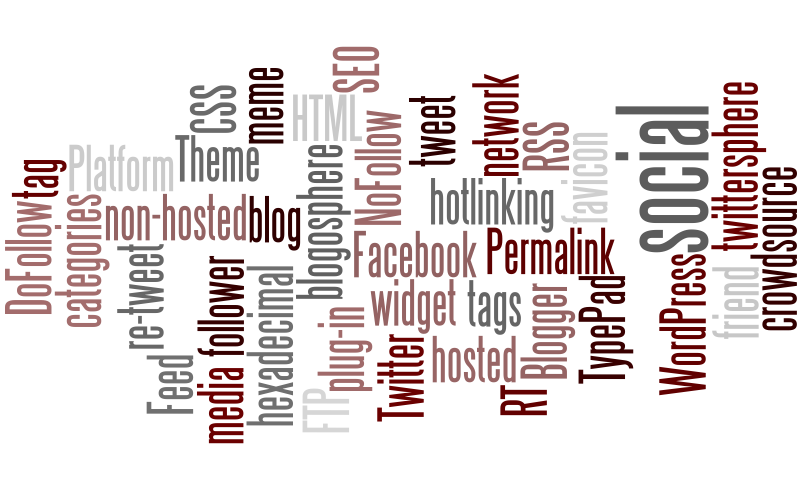
blogging terms image
blogging terms image via bloggingbasics101.com

Here are the definitions to some of the most used terms in the world of blogging. Relax, grab a (healthy) drink and go over some of the most used terms in blogging. And remember, in this glossary, I don’t get technical. Just practical.

Blogging platform: This is basically where you blog. WordPress and Blogger are the most famous ones. I like to use them both.

Blogger is free, and you can monetize it. WordPress has a lot more options, but any monetization comes after you buy your own hosting. So there are pros and cons to both.

For instance, this blog is a self-hosted WordPress blog. My entertainment blog is also on WordPress.

For a Blogger example, you can check my Dating and Relationships in the 21st century.

Webhost: Webhosting basically means that you pay to have your own websites and blogs to be out there. Why should you pay when there are many free platforms? Well, it depends on your intent.

The webhost lets you choose your own domain name. And even though my platform is WordPress, my blog URL doesn’t have WordPress, a benefit of having a self-hosted blog.

Webhosts also allow you to be free with your storage capacities (obviously up to a certain point, but you are much more comfortable with space than you are on the free platform), create an e-mail address (many advertising networks) require you to have a hosted email address and not a free one such as from Yahoo or Gmail).

And there is the fact that WordPress.com (free WordPress platform) doesn’t let you put advertising on your site. If you are in this for making a living for yourself, you need to get a webhost. Mine is Justhost. While it has its ups and downs, I have been using them since late 2009. They are cheap, and the customer service is pretty accessible. I occasionally get the message that I need to upgrade. I handle this by getting rid of the things I don’t use for the site.

But alternatively, you can monetize Blogger with Adsense, Amazon and other advertising opportunities – as long as you are allowed to have a URL on a free platform. It is best to check with the Publisher FAQ’s of the advertising company you want to use.

I heard that Bluehost is pretty good, but I have been too lazy to move. As long as Justhost keeps it up with the customer service and prices, I am happy.

Monetizing: You can put ads, make affiliate deals and sell other people’s stuff, sell your own product and services, make paid reviews…but these all have pros and cons. One of the cons is money is hard to make, especially if you are low on traffic.

Traffic: How many unique visitors do you get? Daily? Monthly?

Guestblogging: Writing for other blogs or other bloggers write for you. Guest-writing for popular blogs will be great for prestige and your popularity. There is a couple of lines for writing your bio, which includes your website link. You’ll also get to interact with people who comment on your piece. Just apply to guest-post and abide their guidelines. Then give it your best shot.

* Carol Tice pays her guestbloggers $50, but of course she selects them carefully.

Link building: How powerful your blog is usually dependent on how many (powerful/quality) sites are linking to you.

One great method is networking with others. Another fun, albeit less effective, way is blog commenting.

Problogging: Blogging about blogging- how to monetize, attract readers, etc…

Some of the problogging blogs I like are Problogger, Blogginglabs, Blogging Teacher (especially if you want to make money writing blog posts) and Carol Tice’s Make a Living Writing (especially if you are a writer who blogs).  I have a lot more, but these four should get you going for starters.

Seo: Seach Engine Optimization. You need to optimize your blog for search engines like Yahoo, Google, etc… so that your blog will be easier to find on the Internet. In order to do that, you need to pick the right keywords.

What are your blog posts about? What keywords are in demand? What words are people typing into search engines? What are they interested in?

You can either search first and prepare a post accordingly or write your post first and make the search and optimize it later.

Frankly, I have read so many blog posts and e-books about SEO that I wouldn’t be able to direct you to one individual source.

**

Let me know if you need/want any other concepts explained. I’ll either explain here on the comments, or will link to a resource I like. Or both:)

Filed Under: Blogging Tagged With: blogger, blogging, blogging 101, blogging definitions, blogging terms, blogging tips, cheap web hosting, problogging, search engine optimization, self-hosted blogs, seo, web hosting, wordpress, wordpress vs. blogger

6 Reasons Why Every Writer Should Blog

Posted on June 25, 2011 Written by Pinar Tarhan


love blogging
image via ezgi.murekkep.org.

The article is short and to the point. It lists 5 reasons why you (as a writer) should blog:

1)      The fun. Life is short and it is very important that if you find something that you enjoy, you should go after it. And if you like writing, there is a chance you’ll like it the colorful world of blogging.
2)      The freedom. Part of t reasons why blogging is so much fun is that you can write about absolutely whatever/whenever and however you want.

3)      Promotion. Do you write? What do you write? What are your strengths? Put in samples, talk about your credentials. It is your platform. Rock on. You can even put on a “hire me” button/page.
4)      Interaction with like-minded people. It is amazing to share what you are passionate about with people who really care about that stuff.
5)      Reputation. Get your name out there. Put in the hours, display the work, write the content. Then fingers crossed, things will eventually go viral- thanks to you and your n networking efforts.  I started because of 1 and I got addicted because of 2. Then I realized, 3 was an opportunity and 4 made it even more fun.
6) Money. It may not the best idea to start blogging purely to make money, as it takes some time to start earning from it. But this is no reason not to monetize your site either. You can sell advertising space, promote others’ products, and a lot more.
Want to read more fun & useful stuff on blogging and writing? You might like:

4 Reasons Why Every Writer Should Use Twitter

Why Every Writer Should Watch ABC’s Mystery Thriller Castle

Filed Under: Blogging, Writing Tagged With: blogging, networking, promotion, reasons for blogging, why writers should blog, writers, writing

Promoting Multiple Sites via Socia Media

Posted on June 23, 2011 Written by Pinar Tarhan

Do you have multiple blogs or websites? If you do, how do handle promoting through social media (Twitter /Facebook/ Linkedin..etc)?  Do you have different accounts for each website? Or do you promote your posts and blogs through the same social media accounts?

As a writer who is running several blogs, I realized that keeping different accounts on some sites (such as Facebook), while using only one account on some sites (Linkedin/Twitter) worked the best for me.

Of course there are pros and cons for whatever decision you make, and I listed them all on the articleStrategies for Promoting Multiple Sites via Social Media. The post is on Freelance Switch.


Related Posts

4 Reasons Why Every Writer/Blogger Should Use Twitter


Filed Under: Blogging Tagged With: blog promotion, blogging, running multiple blogs, running multiple websites, social media, social media for bloggers, social media for multiple websites

9 Productive Things Writers Can Do When They Have a Cold

Posted on June 18, 2011 Written by Pinar Tarhan


Yep, that is exactly how I react when I have a cold…:)

Catching a cold can come in any season. You know the symptoms: dizziness, lack of energy, and low fever. I typically get sick during unstable weather, through a combination of the temperature differences between outdoors and indoors, and the differences between indoors with air-conditioning and indoors with no air–conditioning. Combine it with all the open windows and all the others getting sick and voila: you have a writer with a cold, trying not to vaporize and writing despite a headache.

And while I, unfortunately, discovered that there is no way I can be as productive as my usual healthy self, there are still a lot of productive and not-so-exhausting things I can do. Here is how you can work through a cold if you want to or need to:

1) Facebook: Facebook is a great way to catch up with your friends. And since you are sick, it is OK to start replying to your received messages, as opposed to replying when you are totally healthy and supposed to be doing something else.

But it is not all. You can also promote your old & recent articles. If you are well enough to log on to Facebook, you are well enough for some mindless article promotion. And since you are already active there, browse through groups and fan pages, join the ones you like, join some communities. If you already have a bunch of communities you joined before, converse and leave your own relevant links that will bring value to the conversations. Also, leave links in your messages to your good friends. And don’t neglect to copy-paste your article links to your profile.

Worry not. There is no need to overdo anything. 3-4 article links to your Facebook profile/news update within some hours between them is great for exposure and give your friends time to digest and all.

2) Twitter: Yep, you can tweet about your sickness, but while you are at it, why not post some good links? It can be your old or new article links, friends’ articles, or links to stuff you are promoting. If you can turn on your computer and log on to Twitter, you definitely owe this little activity to yourself.

3) Social Media of Your Choice: Are your readers on Pinterest? Dying to get better results on Instagram? Is it time you experimented with TikTok? You don’t have to take photos or videos when you are sick. But you can play around with hashtags and look at other creators’ content for inspiration. And when you get better, you will realize you’ll have gotten rid of some of your promotional chores for a while. At the very least, you will have conducted some market research.

4) Registering and signing up for useful sites: You may have come across links to register for social media sites, sites that pay for your content, e-mail newsletters you find useful, etc… Registering to multiple sites take time. Since you have time now, use it to sign up for useful stuff.

5) Read blogs and articles: If you are well enough to read, take this time to read friends’ and other’s articles and blog posts. If you can comment, please do. If you don’t have the energy, just help spread the word about the article and let the author know you did this.

6) Check and clean-up your e-mail inbox: You may not feel good enough to study newsletters or apply tips that you are getting from them, but you can always clean out spam and other unwanted stuff. The cleaner your email inbox is, the more productive it will be for you to use it when you feel healthy.

7) Organize bookmarks: How many bookmarks do you have? The idea for this article came to me while I was trying to organize an enormous list of bookmarks. Most of the time, we run into a useful resource, we bookmark it so that we can come back to it later. But since this happens with a lot of sites, we barely ever have the time to go back. Sometimes it is even hard to remember we had a list of websites to visit in the first place.

Do yourself a favor by organizing them. Get rid of the ones you don’t need. If you run into some beneficial stuff, remember to stumble them up, and/or write them down on a Word document, so that you will remember them easily.

8) Take advantage of your entertainment. And if you do watch excess amount of movies and TV shows, remember to write about them later. I once devoured 7 episodes of Supernatural on one sick day. I later wrote a lot of articles on them.

If you have done general reviews for that movie/tv show/whatever already, you can come up with comparison articles, collection of best episodes, list posts and many more.

9) Jot down ideas. When you are physically inactive, your mind can go into overdrive. Make use of these ideas: write them down so you can use them later.

**

So above are things I do when I am not feeling well. What are your tips for “sickness productivity”?

Recommended Articles on Productivity & Time Management

Table of Contents

Toggle
  • Intelligent Productivity for Freelance Writers by John Soares
  • How to Use Our Email Accounts Productively to Avoid Procrastination
  • How to Turn Procrastination into Productivity: 7 Fun Tips for Writers

Intelligent Productivity for Freelance Writers by John Soares

How to Use Our Email Accounts Productively to Avoid Procrastination

How to Turn Procrastination into Productivity: 7 Fun Tips for Writers

Related Posts Plugin for WordPress, Blogger...

Filed Under: Productivity & Time Management Tagged With: article promotion, digg, facebook, productivity, productivity tips, productivity tips for writers, stumble upon, twitter, writers, writing, writing tipsproductivity tips

  • « Previous Page
  • 1
  • …
  • 69
  • 70
  • 71
  • 72
  • 73
  • …
  • 76
  • Next Page »

Blogroll

  • My Entertainment Blog

My Other Blogs

  • Beauty, Fitness & Style for the Fun-Loving Gal
  • Dating & Relationships in the 21st Century

Categories

  • Author Interviews
  • Author news and coverage
  • Blogging
  • Book Launches and Excerpts
  • Book News and Author Interviews
  • Book Recommendations
  • Book Reviews
  • Career Management for Writers
  • E-Book Reviews
  • Fiction Writing
  • Fictional Writers: Writer Characters in Movies, TV Series and Books
  • Inspiration and Motivation
  • Marketing
  • Marketing Fiction
  • Movie and TV Series Recommendations
  • Novel Reviews
  • Paying Markets-Web and Print
  • Productivity & Time Management
  • Recommended Resources
  • Reviews for Tools and Devices
  • Romance
  • screenwriting
  • Self-publishing
  • Story Conflicts
  • Website & Blog Reviews
  • Writer Tools
  • Writing
  • Writing Tools
  • Writing Updates

Copyright © 2026 · Focus Pro Theme on Genesis Framework · WordPress · Log in

This website uses cookies to improve your experience. We'll assume you're ok with this, but you can opt-out if you wish.Accept Reject Read More
Privacy & Cookies Policy

Privacy Overview

This website uses cookies to improve your experience while you navigate through the website. Out of these, the cookies that are categorized as necessary are stored on your browser as they are essential for the working of basic functionalities of the website. We also use third-party cookies that help us analyze and understand how you use this website. These cookies will be stored in your browser only with your consent. You also have the option to opt-out of these cookies. But opting out of some of these cookies may affect your browsing experience.
Necessary
Always Enabled
Necessary cookies are absolutely essential for the website to function properly. This category only includes cookies that ensures basic functionalities and security features of the website. These cookies do not store any personal information.
Non-necessary
Any cookies that may not be particularly necessary for the website to function and is used specifically to collect user personal data via analytics, ads, other embedded contents are termed as non-necessary cookies. It is mandatory to procure user consent prior to running these cookies on your website.
SAVE & ACCEPT